
 Repair Tools
 Glass Refurbishment
 Chips & Components
 Accessories
 Apple
Apple
 Mac
Mac
 Samsung
 Brands
 REPART
 Other Parts
No relevant results
Soft OLED vs Hard OLED: Choosing the Best iPhone Screen Replacement
Aug 12, 2026
4.0 k
0
The key difference between soft OLED and hard OLED is the substrate: soft OLED uses a flexible polyimide base, while hard OLED uses rigid glass. Both are self-emitting panels that produce deep blacks and high contrast but soft OLED tolerates frame flex better and is the standard premium aftermarket tier, while hard OLED delivers similar image quality at a lower price.
Beyond substrate material, choosing the right replacement requires checking brightness, touch response, refresh rate, bezel fit, cover glass, and calibration. The construction label is a starting point, not a complete quality rating.
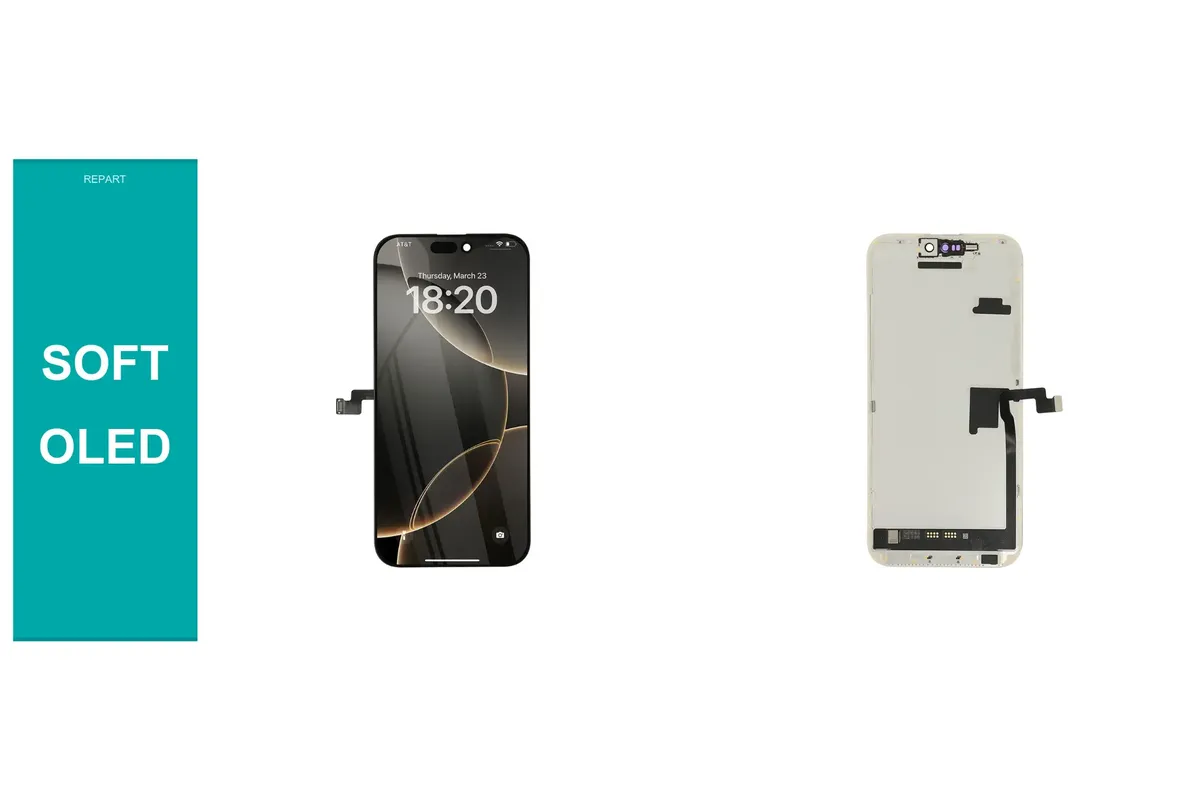
Quick Comparison: Soft OLED vs Hard OLED vs LCD
| Feature | Soft OLED | Hard OLED | LCD / Incell |
|---|---|---|---|
| Substrate | Flexible polyimide | Rigid glass | Glass-based structure |
| Light source | Self-emitting pixels | Self-emitting pixels | Backlight + liquid crystal |
| Black level | Excellent (pixel off = true black) | Excellent | Lower (backlight bleeds) |
| Frame flex tolerance | Better | Lower — glass can crack under uneven pressure | Varies by product |
| Typical thickness | Thinner possible | Slightly thicker | Thickest |
| Aftermarket price tier | Premium | Mid-range / value | Budget |
| 120Hz support | Model-dependent — verify spec | Model-dependent — verify spec | Rarely |
| Best use case | Premium replacements on OLED models | Cost-conscious OLED replacements | Native LCD models; budget jobs |
Two products carrying the same category label can perform differently. Always evaluate measured specifications alongside the construction type.
How Does OLED Work?
OLED (Organic Light-Emitting Diode) displays are self-emitting: each pixel produces its own light and can switch off completely when displaying black. This eliminates the backlight required by LCD screens and enables near-infinite contrast ratios, thinner assemblies, and deeper blacks.
Apple adopted OLED across its modern flagship lineup. However, an aftermarket OLED screen replacement should not be assumed to match every original specification. Brightness, color tuning, refresh behavior, touch response, and calibration all vary between suppliers and product tiers.
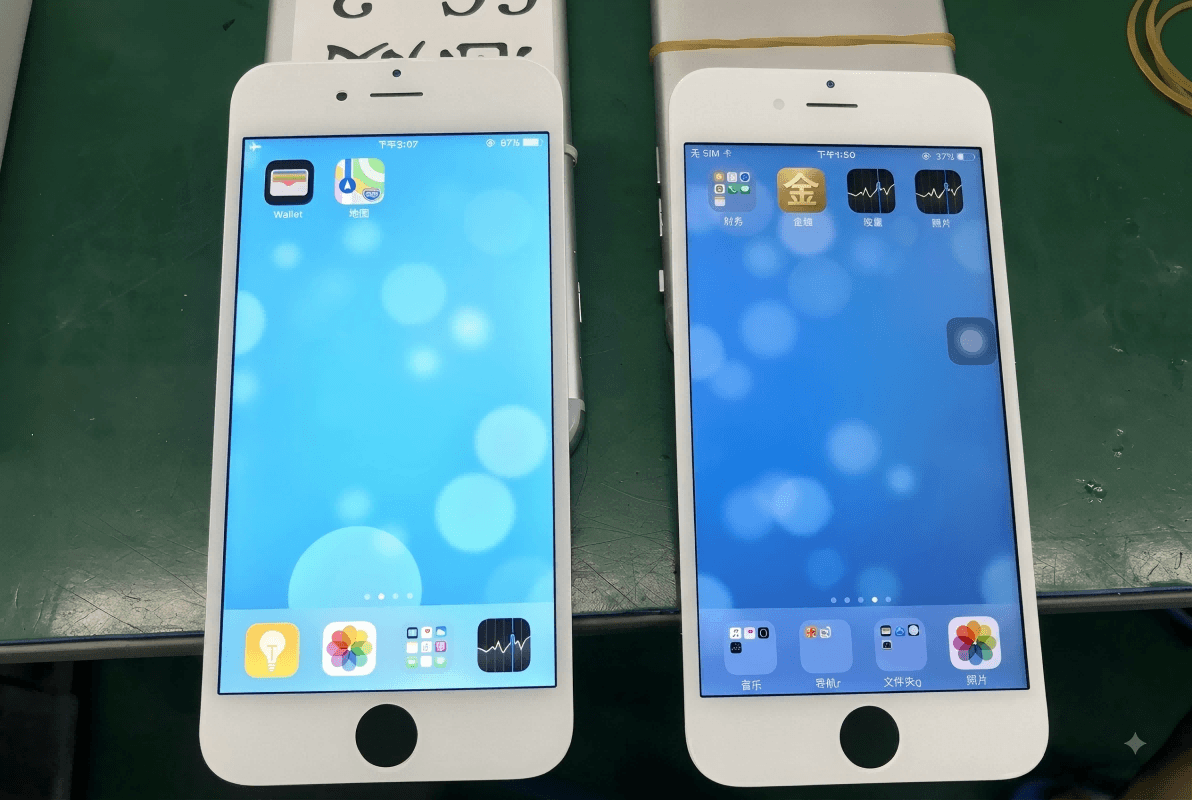
What Is a Soft OLED Screen?
A soft OLED screen is an OLED display built on a flexible polyimide substrate instead of rigid glass. The polyimide base bends without cracking, which makes the assembly more tolerant of minor frame flex and allows manufacturers to build thinner panels with tighter border packaging.
Advantages of soft OLED replacements:
- Better tolerance to housing flex during and after installation
- Thinner assembly — closer physical fit on many modern iPhone models
- Deep blacks and excellent contrast
- Premium bezel dimensions on quality products
Important caveat: "Soft" describes panel construction, not a standardized quality grade. Soft OLED panels from different factories vary in brightness, touch accuracy, color consistency, and failure rates. Evaluate measured specifications, not the label alone.
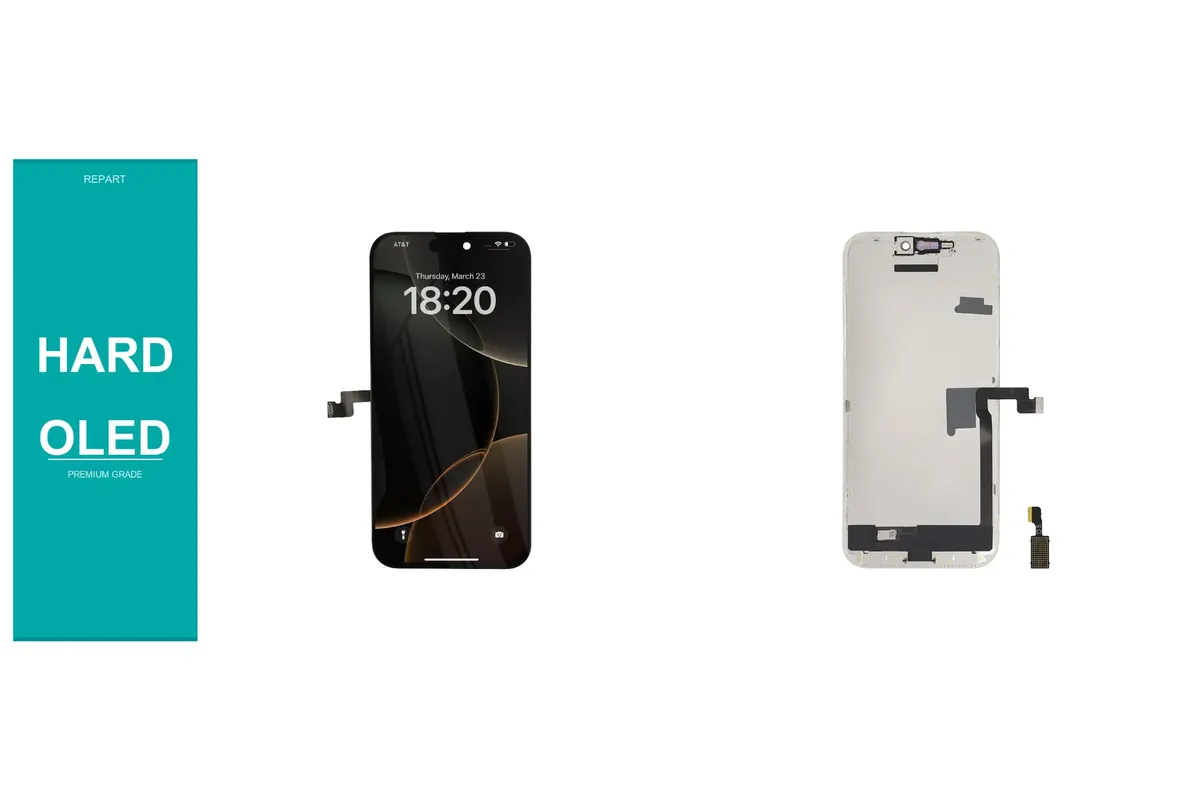
What Is a Hard OLED Screen?
A hard OLED screen is an OLED display built on a rigid glass substrate. It retains the self-emitting pixel technology of soft OLED — delivering deep blacks and strong contrast without a backlight — but its glass base cannot flex like polyimide.
Because of that mechanical difference, hard OLED is more sensitive to uneven frame pressure during installation. A bent or distorted housing should always be corrected before fitting a rigid panel.
Hard OLED panels are positioned as the value-oriented OLED option: lower cost than flexible replacements, while still delivering self-emitting image quality that outperforms LCD in contrast and black depth. A well-manufactured hard OLED can provide strong visual performance when installed correctly.
Soft OLED vs Hard OLED: Key Differences Explained
The coredifference between soft OLED and hard OLED is the substrate — flexible polyimide versus rigid glass — but that choice ripples into several practical areas.
Durability
Polyimide tolerates bending stress better than glass, giving soft OLED an advantage when minor housing flex occurs. However, neither type is indestructible: cover glass still cracks on impact, and internal components can fail regardless of substrate. Overall durability also depends on lamination quality, adhesive, frame condition, and installation technique.
Image Quality
Both constructions can deliver excellent image quality because both rely on self-emitting pixels. Construction category does not determine peak brightness, color accuracy, white balance, touch sampling rate, or pixel uniformity. A high-grade hard OLED can outperform a low-grade soft OLED in measurable display tests. Judge screen quality from verified product specifications, not the category name alone.
Bezel Fit
Flexible construction gives manufacturers more freedom when packaging display electronics, so a premium soft OLED replacement typically matches the border dimensions of the original iPhone screen more closely. Some hard OLED replacements have a different lower-bezel dimension. This is not universal — always compare the specific product against the specific model.
Installation
Always straighten a bent housing before fitting any new display. Rigid glass is less forgiving of uneven frame pressure than polyimide, but forcing any display into a distorted housing risks immediate or premature failure.
Price
Soft OLED sits at the premium end of the aftermarket. Hard OLED is the mid-range alternative. LCD/incell assemblies are typically the lowest-cost option. For a repair shop, unit cost should not be the only metric: return rates, touch complaints, display line failures, and repeat labor can make a cheap part more expensive per successful job than a pricier one.
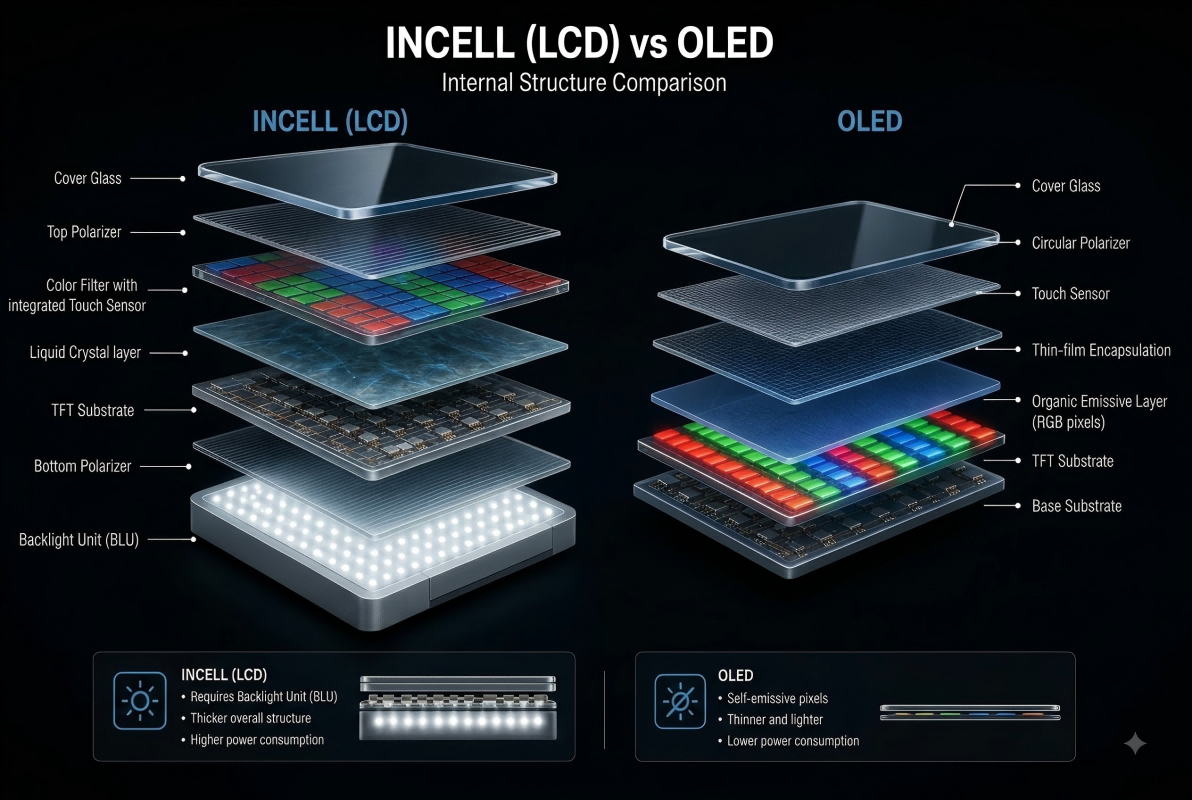
Hard OLED vs LCD: What Is the Difference?
The fundamental difference between hard OLED and LCD is the light source. An LCD screen uses a backlight to illuminate liquid-crystal layers, which means black areas cannot fully extinguish — resulting in lower contrast and lighter blacks compared to any OLED. Hard OLED, like soft OLED, switches off individual pixels for true black.
LCD remains a practical choice when price is the primary factor or when the device was originally engineered around backlit display technology.
When Does an LCD Replacement Make Sense?
An LCD replacement makes sense when the original device used a backlit panel, or when cost is the overriding constraint.
Models like the iPhone 11 and the iPhone SE lineup shipped with Liquid Retina (LCD) displays. For those devices, a quality LCD replacement stays true to the original display architecture.
Some suppliers sell LCD conversions for phones that originally shipped with OLED panels. These reduce upfront part cost, but customers should understand the trade-offs: lower contrast, lighter blacks, reduced brightness in some conditions, different viewing angles, and potentially greater thickness.
Always confirm that any LCD or hard OLED part is engineered and tested specifically for the target iPhone model before purchasing.
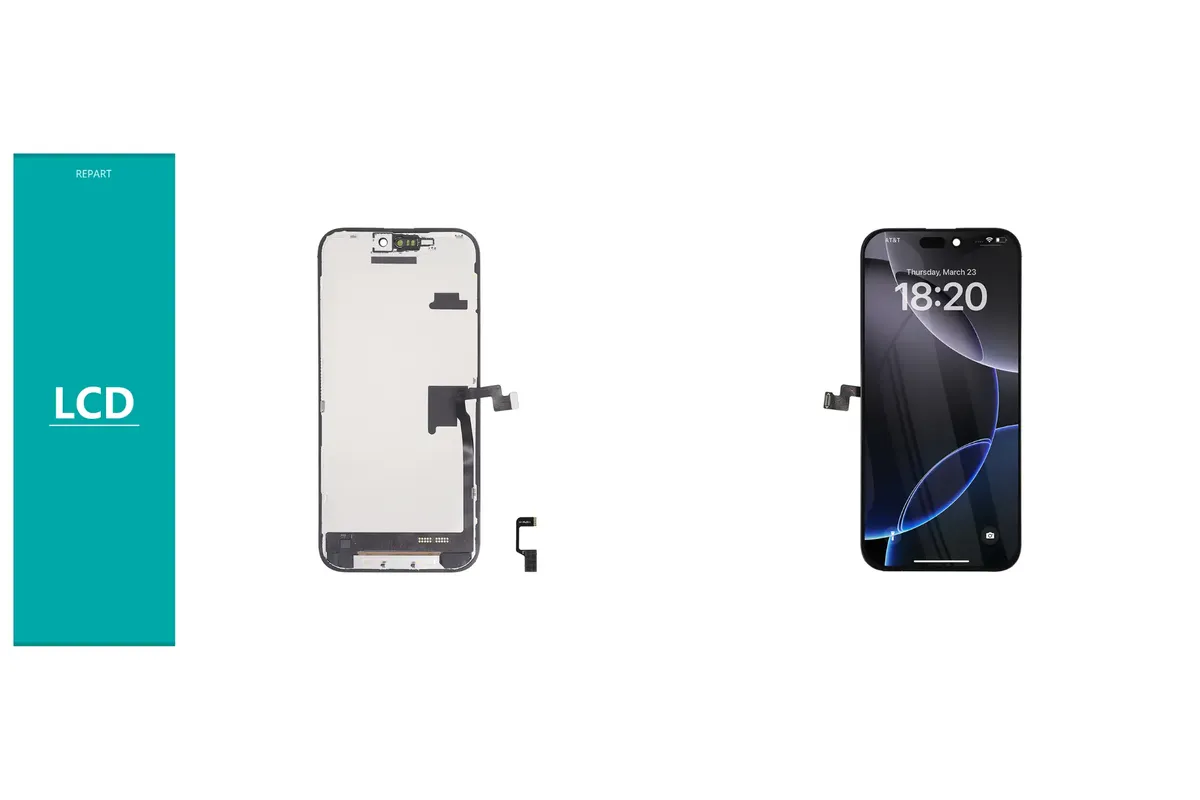
What Is Incell?
Incell refers to an LCD assembly where the touch-sensing layer is integrated directly into the display panel, rather than sitting as a separate layer above it. This reduces thickness compared with older LCD designs. Incell displays are backlit, not self-emitting.
Incell quality varies significantly by supplier. Verify brightness, touch accuracy, color gamut, bezel fit, and warranty terms before selecting an incell part.
Choosing the Right Screen by iPhone Model
Display requirements differ across iPhone generations. The guidance below reflects general aftermarket best practice — always verify the specific product specification before ordering.
iPhone X and iPhone XS
The iPhone X introduced OLED to the mainstream iPhone lineup. A flexible (soft OLED) replacement is the premium choice; a rigid (hard OLED) option suits more price-sensitive jobs while maintaining self-emitting image quality.
iPhone 12 Series
For iPhone 12 models, a premium soft OLED replacement offers the best physical fit and flex tolerance. Hard OLED is a viable alternative when budget is constrained.
iPhone 13 Pro and13 Pro Max
The iPhone 13 Pro introduced ProMotion (up to 120Hz adaptive refresh). When replacing this display, verify that the aftermarket panel explicitly supports the required refresh-rate behavior — do not assume that any flexible part automatically reproduces 120 Hz operation.
iPhone 14 Pro and 14 Pro Max
For iPhone 14 Pro replacements, confirm refresh rate, peak brightness, touch response accuracy, bezel dimensions, and calibration compatibility before purchasing.
iPhone 15 Pro and 15 Pro Max
The same thorough verification applies to iPhone 15 Pro replacements. For any Pro-tier repair where the customer expects a premium experience, validate the complete specification sheet — not just the construction category.
How to Choose: A Practical Decision Guide
Use the following framework to select the right display type for each job.
- Check the original display type. Did the device ship with OLED or LCD? For LCD models (iPhone 11, SE series), an LCD replacement is usually the right match. For OLED models, start with soft or hard OLED.
- Assess the customer's priority. Premium visual experience and maximum durability → soft OLED. Good OLED quality at lower cost → hard OLED.Lowest upfront cost and original LCD device → LCD/incell.
- Inspect the housing first. Bent or distorted frames must be corrected before installing any panel, but especially before fitting a rigid (hard OLED) display.
- Verify the full specification, not just the label. Confirm brightness, refresh rate (120 Hz if applicable), touch accuracy, bezel fit, cover glass rating, and warranty terms.
- Calculate cost per successful job, not cost per part. Factor in your supplier's return rate, touch complaint frequency, and dead-pixel policy alongside the unit price.
Is a Soft OLED Screen an Original Apple Part?
No. A soft OLED replacement is an aftermarket part, not a genuine Apple component. "Soft OLED" describes the panel construction method — flexible polyimide substrate — not the source or approval status of the part.
Original Apple screens are engineered around Apple's specific hardware and software integration, including True Tone calibration data, brightness curves, and touch response tuning. An aftermarket replacement may behave differently in one or more of those areas. "Premium aftermarket flexible display" is a more accurate description than "OEM equivalent."
What About Refurbished Displays?
A refurbished display is a separate category from a new aftermarket part. Refurbishment typically pairs a retained original panel with freshly replaced outer glass. Quality depends on the condition of the retained panel, the refurbishment process, and the materials used for the new glass layer.
Before purchasing a refurbished display, ask the supplier what has been replaced and what remains original, and confirm the warranty terms that apply to each component.
Does Soft OLED Support120 Hz?
Not automatically. Refresh rate is a separate specification independent of substrate material. Some premium soft OLED replacements support 120 Hz for compatible models; many do not. A flexible substrate does not, by itself, guarantee high-refresh performance. Always check the stated refresh rate in the product specification before ordering for a ProMotion-capable iPhone.
What Should Professionals Check Before Buying iPhone Screen Parts?
Repair professionals sourcing iPhone screen replacement parts should evaluate the complete assembly specification, not the category label alone.
- Peak and typical brightness (nits)
- Refresh rate support (standard60 Hz vs. 120 Hz ProMotion)
- Touch sampling accuracy and multi-touch performance
- Color gamut and white balance consistency
- Frame and bezel tolerances versus OEM dimensions
- Cover glass hardness rating
- True Tone or calibration compatibility
- Dead-pixel and uniformity policy
- Warranty duration and coverage scope
- Supplier's real-world return and complaint rate
The best part for a professional repair shop is the one with the lowest cost per successful completed job — which is rarely the same as the lowest purchase price.
Frequently Asked Questions
What is the difference between soft OLED and hard OLED?
Soft OLED uses a flexible polyimide substrate; hard OLED uses a rigid glass substrate. Both are self-emitting displays with deep blacks and high contrast. Soft OLED tolerates frame flex better and is thinner, making it the premium aftermarket tier. Hard OLED costs less and can still deliver strong image quality when installed correctly.
Is soft OLED better than hard OLED for iPhone screen repair?
For premium repairs on OLED iPhones, a quality soft OLED replacement is generally the better choice because it matches original device flex tolerance and bezel fit more closely. Hard OLED is a practical alternative when cost is a priority and the housing is in good condition.
Is soft OLED an original Apple screen?
No. Soft OLED describes flexible panel construction — it is not a genuine Apple part. Original Apple screens carry Apple's calibration data and hardware integration that aftermarket parts do not replicate.
Does soft OLED support 120 Hz?
Only if the specific product is rated for it. The flexible substrate does not automatically provide 120 Hz capability. Always verify the refresh rate in the product specification before ordering for a ProMotion iPhone model.
What is the difference between hard OLED and LCD?
Hard OLED is self-emitting (each pixel produces its own light); LCD uses a backlight behind a liquid-crystal layer. Hard OLED produces true black and much higher contrast. LCD is less expensive and is appropriate for devices originally designed with backlit panels.
Can I use a soft OLED screen on any iPhone?
Only on models originally designed for OLED displays, and only when the part is rated for that specific model. Fitting an OLED replacement to an iPhone that shipped with LCD requires a compatible conversion part; standard OLED assemblies will not connect correctly.
Are soft OLED screens unbreakable?
No. A flexible substrate reduces the risk of cracking under frame flex, but soft OLED screens are still vulnerable to cracked cover glass, impact damage, touch layer failure, and display lines. "Soft" refers to substrate flexibility, not overall toughness.
What does hard glass mean on an iPhone screen?
Hard glass refers to the cover glass rating — a measure of surface scratch and impact resistance — and is not the same as hard OLED panel construction. A hard OLED screen can have any cover glass specification depending on the supplier.
What does TFT mean for iPhone screens?
TFT (Thin-Film Transistor) in the iPhone parts market describes an LCD-based replacement, not a self-emitting panel. Exact brightness, color range, and touch accuracy vary by supplier and product tier.
Which iPhone screen replacement is best overall?
For iPhone screen replacements on OLED-native models, a verified soft OLED assembly from a tested supplier is the strongest starting point. Hard OLED is a reliable mid-tier choice. LCD parts are best reserved for models that originally shipped with backlit panels or for carefully selected budget repairs.
Final Recommendation
For premium iPhone screen replacement on an OLED model, choose a verified soft OLED assembly. Its flexible substrate tolerates frame movement, fits modern device geometry closely, and represents the aftermarket quality ceiling when backed by measured specifications from a reliable supplier.
Hard OLED is a strong mid-range alternative when budget is a constraint and housing condition is confirmed. The self-emitting pixel technology still delivers deep blacks and high contrast that LCD cannot match.
LCD and incell parts are appropriate for devices that originally shipped with backlit panels, or for budget repairs where the customer understands the visual trade-offs.
In every case, the right choice combines construction type with verified brightness, touch response, refresh-rate support, bezel fit, cover glass quality, calibration compatibility, warranty terms, and supplier return-rate data. The label is the starting point — the specification is the decision.
Related Products
Comment
CATEGORIES
FEATURED POSTS
WHAT'S HOT
Face ID Not WorkingREWA-Selectedboardview softwareFace IDclamp fixtureiPhone batteryiPhone PartsFace ID Repairmobile phone repair shop nameREWA Repair
Write a comment